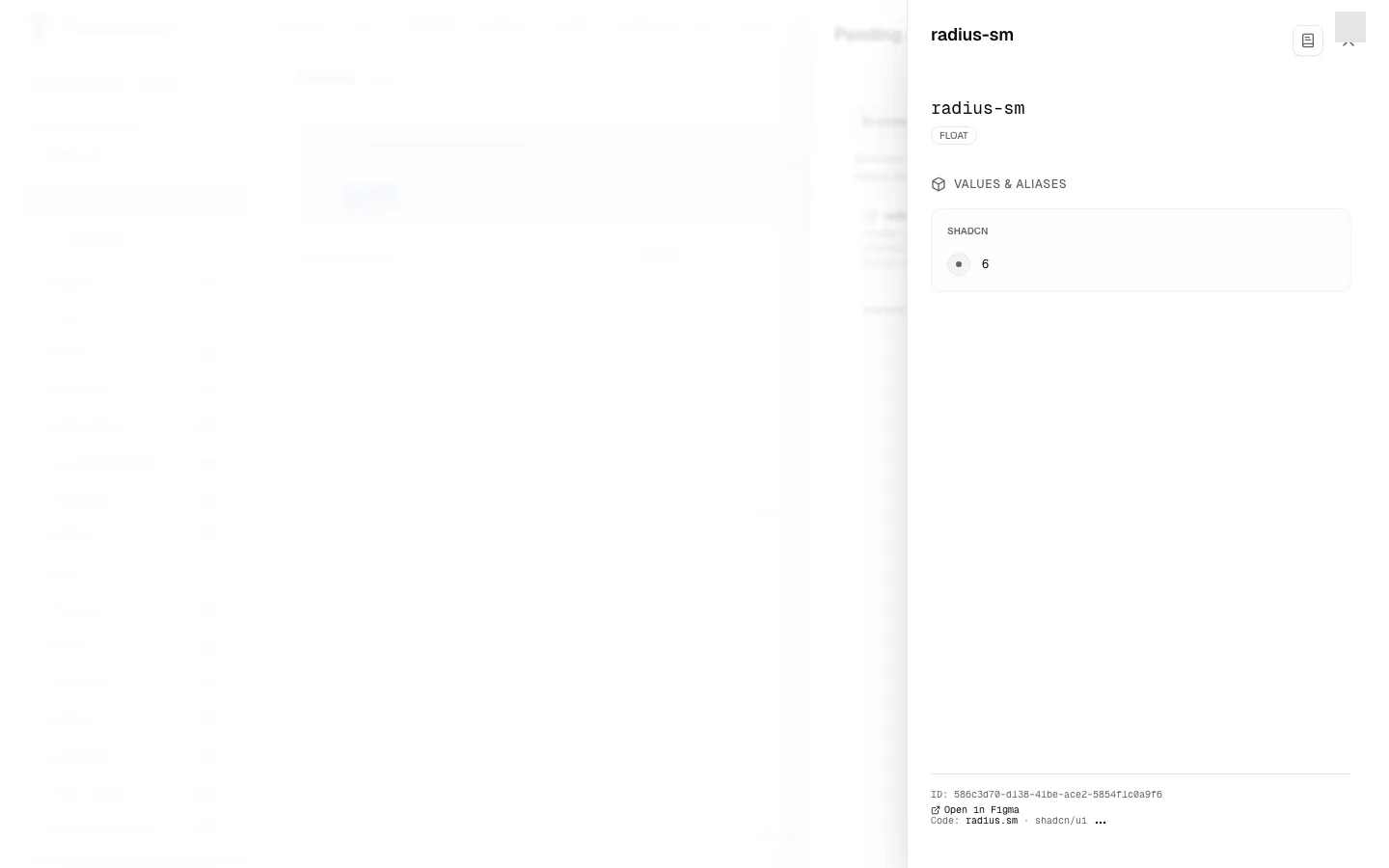
The token panel
Click a row in the Design side’s table to open the token panel on the right of the screen. It shows everything about one variable: its full path, its type, and its value in every mode of its collection.
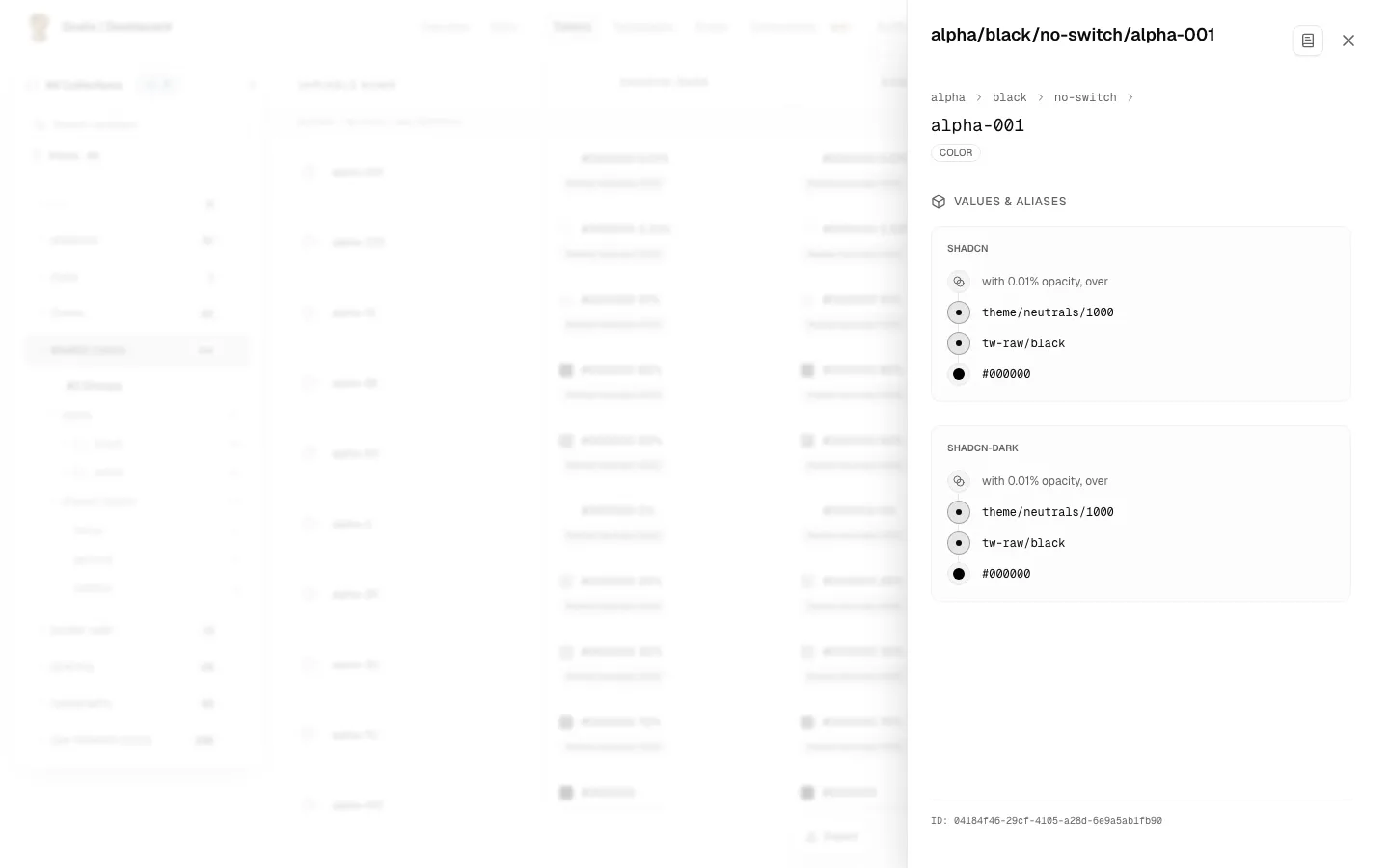
The header
- The path: the variable’s name, with its groups in front, for example
Colors / Primary / Blue-500. The last part is the title. - The type badge:
COLOR,FLOAT,BOOLEANorSTRING.
Values and aliases, mode by mode
The panel has a section called Values & Aliases, with one block for each mode in the collection. For each mode you see:
- The alias chain, if the variable is an alias. It is drawn as a sequence of steps, from the variable itself to the final value, for example
Primary/Blue → Base/Blue-500 → #1A73E8. Each step that is another variable shows its name. - The resolved value: the final value at the end of the chain, for example the hex
#1A73E8or the number16. - A colour swatch for a colour, beside its value.
Colours with an opacity on top
When a colour is built from another colour and an opacity, the chain shows both parts: first the opacity, then the colour underneath. If that colour is itself an alias, the chain keeps going until it reaches a real colour. If the opacity comes from its own token, that token is one step of the chain, with the percentage it ends at.
Broken references
If an alias is broken, the panel shows a red mark with one of these messages:
- Circular Reference: the chain forms a loop, for example A → B → A.
- Reference not found: the referenced variable was deleted.
- Opacity: Reference not found: the token that the opacity comes from was deleted. The colour underneath is still shown.
- Opacity: Value not set for this mode, Opacity is not a number, or a broken chain of its own: the opacity token exists, but its value in this mode cannot be used. The message appears right below the opacity token.
Moving between tokens
The panel shows the whole chain, but its names are not links. To open another token from a chain, use the Inheritance Chain popover on the alias pill in the table: clicking a step there opens that token’s panel. See Aliased values.
Opening the file in Figma
When Grails knows the Figma file of the variable, the foot of the panel has Open in Figma, which opens that file in a new tab. When Grails has no real link for the file, there is no link, and no stand-in is drawn.
Its code counterpart
A Figma variable that has been matched to a code token says so at the foot of its panel, as text, for example Code: color.ink · @acme/ui. The text names the token and the repository it comes from. How to match them is described in Pending matches.