

Editing a value
Turn editing on
Open Tokens, switch the head to Code, and click Edit in the bar at the foot of the table. A pencil appears on each value. Click Done to hide the pencils and the row menus again. Done does not discard or apply anything: the changes you queued stay queued.
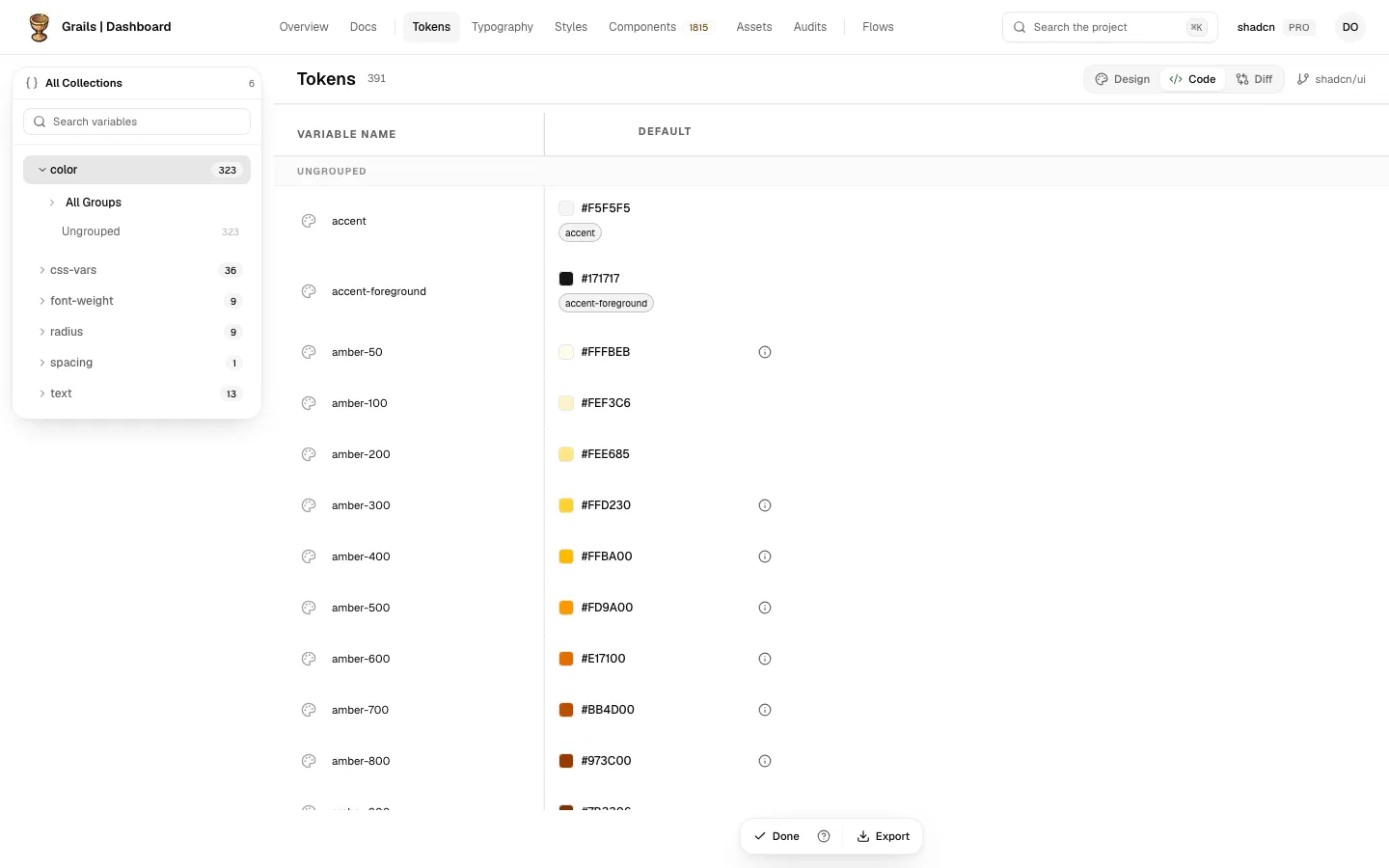
A typography token is a text style: it is not in this table but on the Code side of Typography, and it cannot be edited yet. A type Grails does not know shows a disabled pencil that reads “Grails cannot edit this type of token yet”.
The dialog
Click a pencil to open the dialog. It has two tabs, Value and Alias. It opens on the one that matches the token: Alias when the token points at another token, Value otherwise.
- Current is the line that shows the repository’s value, summarised for its type. When a change is already queued, it reads Current → queued: the repository’s value struck out, an arrow, and the queued value. A long summary is cut with an ellipsis; hover over it to read the whole thing.
- Value is the editor for the token’s type. It starts from the value already queued for this repository, if there is one, and otherwise from the value the token shows. A token that points at another token is followed through the repository, so you see the value it finally takes.
- Alias lists the tokens and variables the token can take its value from. See Fixed values and aliases.
- Queue change sends the change to the queue of this repository. The cell shows it at once. It is on the Value tab only.
If the value you write is the same as the repository’s, nothing is queued, and the dialog says so.
An untouched value is sent as it came. If you change only the colour, or only one shadow layer, the rest is kept exactly as the code wrote it. Grails rewrites only what you changed.
Colour, size, time and number
The rules for colours, px and rem, ms and s, numbers and font weights, and for a value that does not read, are on Colours and units.
Font family
An ordered list of families. The first is the one the browser tries first. The dialog shows a preview. Put a generic family, such as sans-serif, last.
Cubic bezier
An easing curve written as four numbers. The dialog draws the curve as you change them, and offers the presets linear, ease, ease-in, ease-out and ease-in-out. When the four numbers match none of them, the custom chip lights up; it cannot be clicked. The x values must stay between 0 and 1.
Stroke style
A keyword: solid, dashed, dotted, double, groove, ridge, outset or inset. Or Custom pattern: dash and gap lengths, where you add or remove a length. Each length is a size in px or rem, and can also point at a dimension token. A Line cap (round, butt or square) sits beside them.
Text
A string, for a token that holds text rather than a value. Grails refuses text with control characters, text that is too long, and text that starts with a brace, because the repository’s tools cannot read those.
Shadow
A shadow is a list of layers, and the order is the order the browser paints them. You can add a layer, remove one, and reorder them. Each layer has the parts Offset X, Offset Y, Blur, Spread and Color, and an Inset switch. A preview draws the result above the layers.
Border
A border has three parts: Color, Width and Style. The style is a stroke style, as above. A preview shows it on a tile.
Gradient
A gradient is a list of colour stops, each with a colour and a position in percent. A preview bar shows the gradient. You can add, remove and reorder stops. A gradient keeps at least two stops.
Transition
A transition has three parts: Duration, Delay and Timing function, which is a cubic bezier, edited as above. Each duration is in ms or s.
For how each part keeps its own unit, see Colours and units.
Parts that point at another token
A part of a shadow, a border, a gradient or a transition can point at a token of its type, with the link icon beside its label. See Fixed values and aliases.