

Pending changes
What waits
A queued change shows in three places, and all three show the same thing.
In its cell. The value is drawn as before → after, outlined in amber. A queued removal is marked Removal queued beside the token’s name.
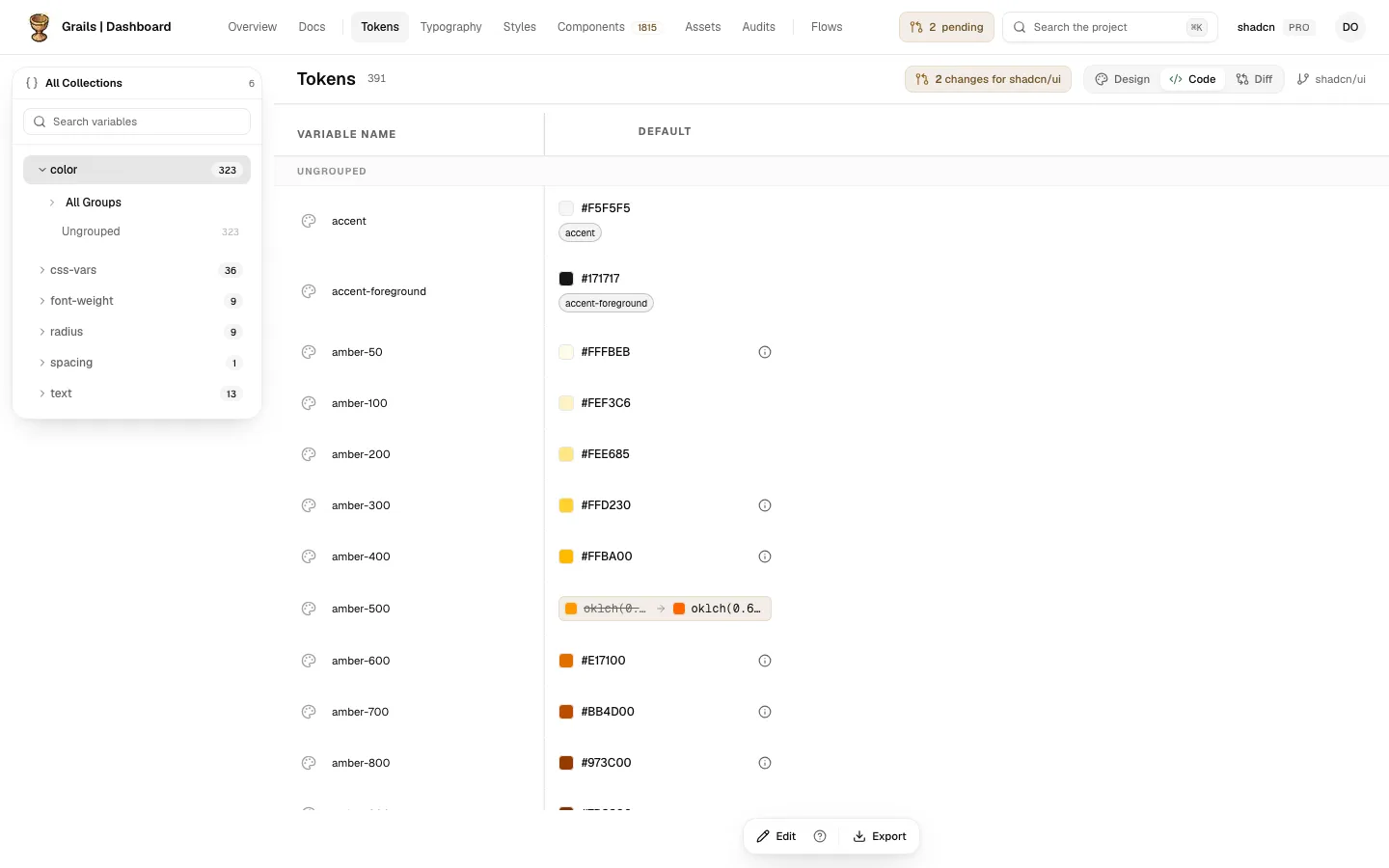
In the head. On the Code side, a chip reads N changes for the repository’s name. It sits before the Design, Code and Diff switch. Click it to open that repository’s pending changes.
In the top bar. A counter shows how many changes wait in the whole project. Click it to open the project’s pending changes, which list every Figma file and every repository.
The pending changes panel
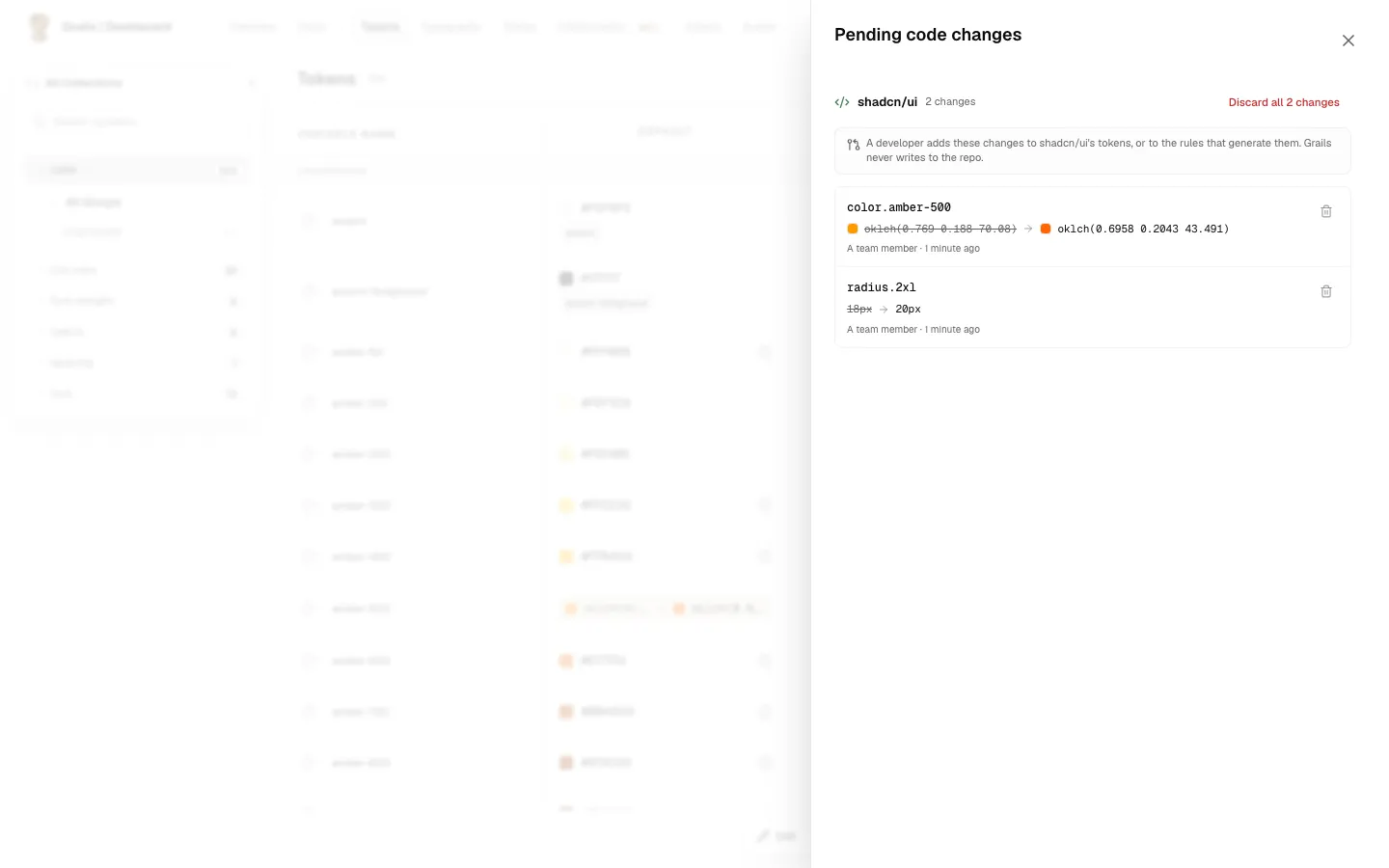
The panel lists what waits, grouped by where it goes. For a repository, each change shows before → after, its mode, who queued it and when.
- For a repository, opened from the chip: a note on how its changes reach the code, its changes, then Recently closed.
- For the project, opened from the counter: every Figma file, by its name, and every repository, with its changes.
- Recently closed lists the changes that left the queue recently, each with its reason. The reasons, and what each one means, are in the overview.
How a change reaches the code
Grails never writes to the repository. A developer adds the change to the repository’s tokens, or to the rules that generate them, and merges it as any other change. A developer lists what waits with grails-cli tokens pending, in the repository (each change with its type, before → after in DTCG, and its id), and can also discard one from code, with a reason (grails-cli tokens discard, below). A coding agent can run the same commands.
Grails notices on its own. Every time the repository’s tokens are synced (grails-cli sync, in CI), Grails compares each waiting change with what the repository now holds. The next sync marks a change Applied once the repository holds its value, and the change moves to Recently closed. An alias counts by the value it resolves to, and colours and sizes are compared with the same tolerance as the Diff. A change for a token that was removed from the repository closes as Removed, and a token, collection or mode that was created closes once it exists.
If the repository holds another value, the change stays in the list. Grails keeps proposing its value and checks again on every sync. When the repository holds a different value from the one the change started from, the row adds In code now: and that value, under before → after. If the repository still holds what it held when the change was queued, the row says nothing more.
A change the team will not carry is closed from the repository with grails-cli tokens discard <id> --reason "…". The reason is required. Grails keeps the change as discarded, with the reason, who discarded it (the owner of the API key used by the CLI) and that it came from code. Under Recently closed it reads Discarded from code, and a line under it says by the person’s name and the reason, for example “by Jordan Lee · The brand team owns this colour”. The reason is shown as plain text and cut at three lines; hover over it to read it whole.
Many at once is the same command with --all (everything waiting for the repository), --all --collection <name> or --request <request-id>, closed together in one step or not at all. --dry-run lists what would be discarded and changes nothing. grails-cli tokens pending --collection <name> and --request <request-id> list exactly the same changes, and grails-cli status shows how many wait for each repository. Before a sync runs, grails-cli sync --dry-run says which waiting changes it would mark Applied.
Discard changes
Admins and Editors can discard pending changes. Viewers see the list but no discard buttons. (A developer discards from the repository with grails-cli tokens discard, as above.)
- One change: its trash button, on the change’s row.
- All of a repository’s changes, or all of a Figma file’s: Discard all N changes in its header, or Discard 1 change when there is only one.
Every discard asks first, in a confirmation dialog.
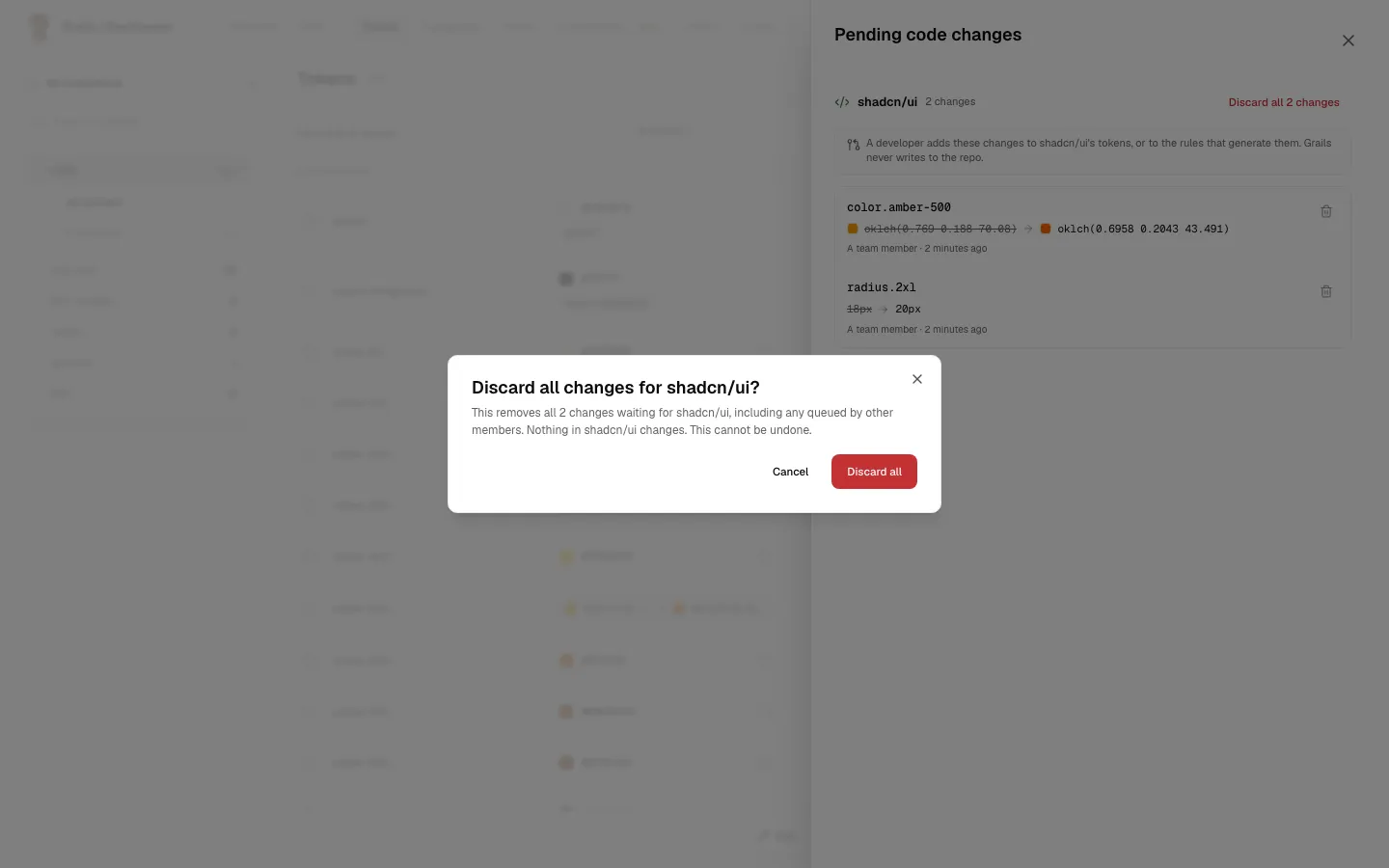
Discarding something new also discards what depends on it. If you discard the creation of a token, or of a mode, the changes queued under it go too. The confirmation says how many: “This also removes N changes”. A value queued for a token that is itself being created has no discard button of its own, because it goes with the token.
Delete a token
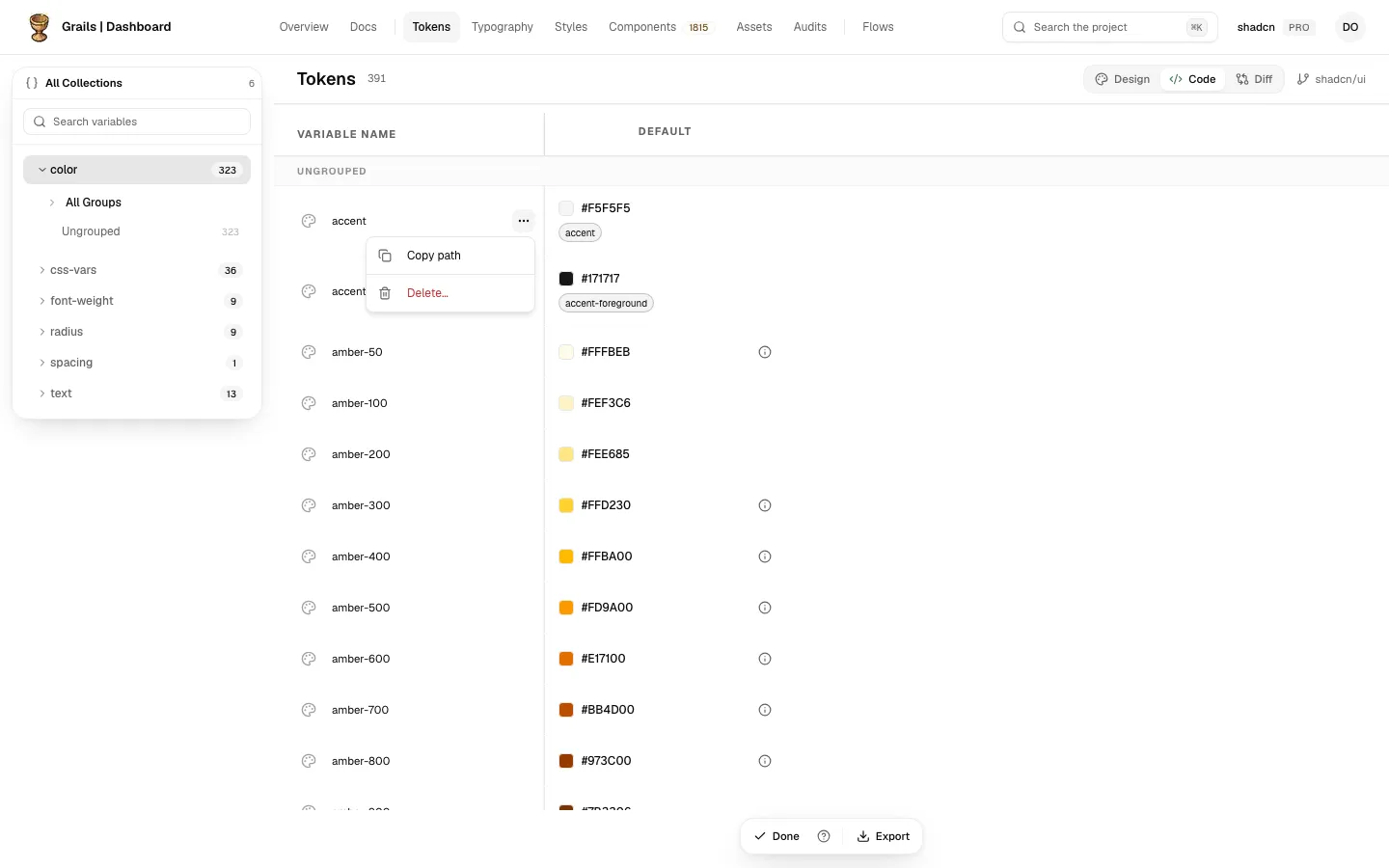
The row menu (···) on a token has Copy path and Delete….
- Copy path copies the token’s path, as the code names it.
- Delete… asks first. The confirmation says that nothing is removed from the repository until the change is applied. The token gets the Removal queued mark, and a developer removes the token from the repository.
The repository changed while you were editing
Each change is made against the value you saw when you opened the dialog. If a developer uploads a new value for that token before you queue yours, Grails does not queue it. Overwriting a value you have not seen would silently undo the developer’s change.
The dialog stays open and says the repository changed. It shows the new value, and offers Use the new value.
Use the new value reloads the page and starts the form again from the value the repository has now. Edit from there and queue the change again.
Related
- Fixed values and aliases: an alias queued here shows as a change from the repository’s value to the token it points at.
- Colours and units: what a colour or a size becomes before it is queued.