

The Code side
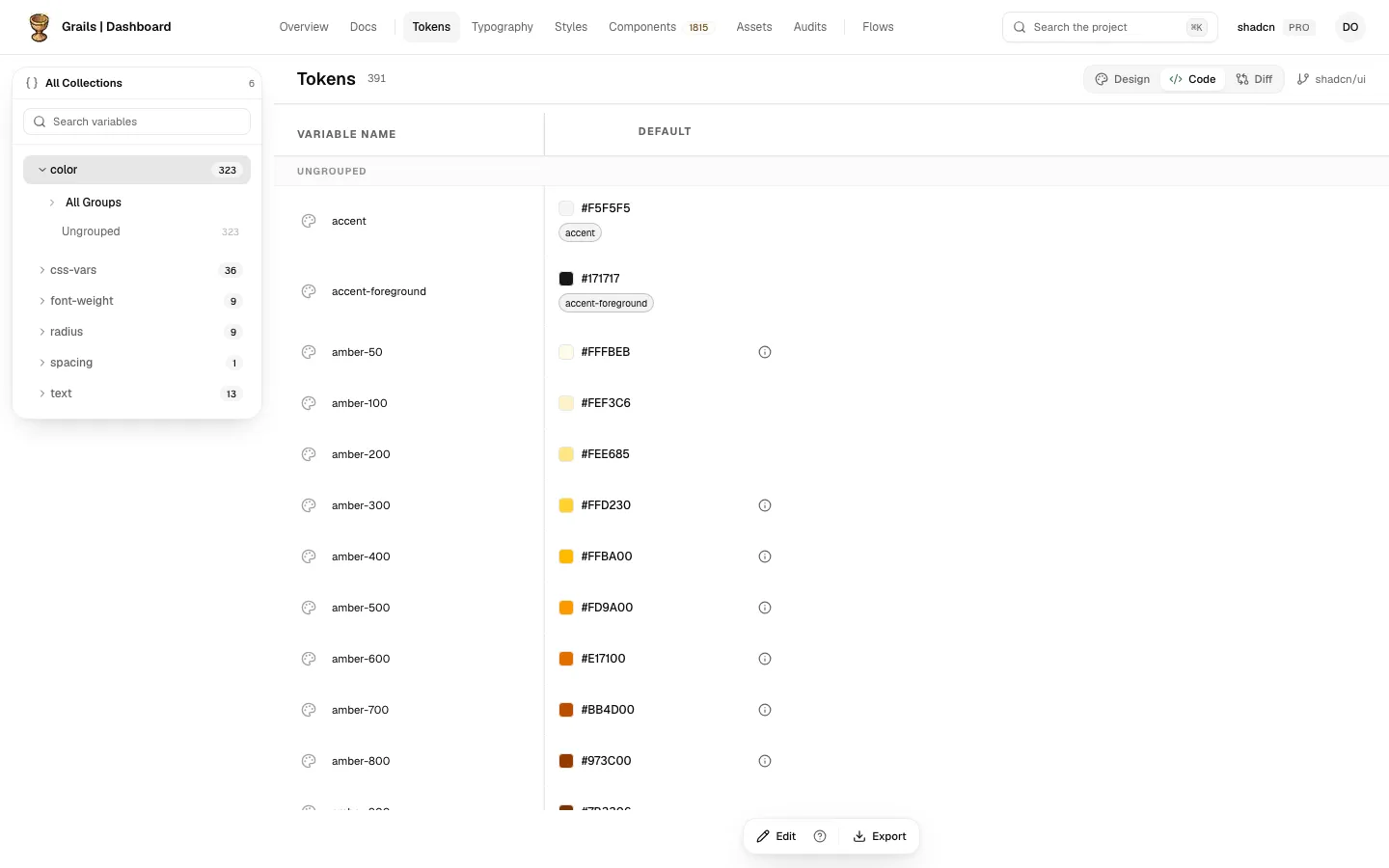
The Code side shows the design tokens that your component library’s repository uploaded with grails-cli sync. They are drawn in the same table as the Figma variables: collections, modes, values and aliases, with the same kind of name. Switch to it with Code in the switch at the top of the table.
What it lists
- Collections: the collections the repository declares, in the left panel, each with its tokens.
- Modes: one column for each mode of the collection, the way the Design side shows them.
- Values: the value of each token in each mode, as the code writes it.
- Aliases: a token that points at another token shows the referenced name and the resolved value, the same way as on the Design side.
A token’s name is its path inside its collection. For example, color.fill.default in the color collection is shown as fill/default. A collection with one mode shows that mode as Default.
Several repositories
A project can have more than one repository. The head names the one you are looking at, and its menu lists the others. Pick one from the menu to switch to it. With only one repository, the head names it and there is no menu.
Colours outside sRGB
A colour the code writes in a wider space, such as display-p3 or oklch, may not fit on most screens. Its cell shows the nearest colour that sRGB can hold, and a small mark beside it says so. Tap or focus the mark to read the explanation. The value in the code does not change.
Export
Export in the bar at the foot downloads the repository’s last upload as Grails stored it, in the same DTCG .zip format as the Figma export. The panel is the same as the Figma one, without the option for variables hidden from publishing: nothing is built until you press Export tokens, and the notes about what could not be represented appear before the download.
See Export for the panel’s steps and notes.
What the Code side does not have
The Code side is about what the repository holds, so it does not have:
- Edit, or any queued batch of changes.
- The Status filter.
- The Scopes column. A dashed NO SCOPE would read as a fact about the code, and scopes are a Figma property.
- The token panel: a code token opens no detail panel.
- Documentation.
Editing
Admins and editors can edit code tokens on a team’s plan that includes Code Sync. Changes wait, queued, until a developer adds them to the repository’s tokens. For the steps and what each one does, see Code editing.
Empty and failed states
Empty Code side
When the Code side has nothing to show, it explains what Code is and how to turn it on, in three steps:
- Code Sync on the team’s plan. If the plan does not include it, the page says so and marks this step.
- An API key with the
write:codescope, created in Team Settings › Integrations › API Keys. - In your component library’s repository,
grails-cli init --write, thengrails-cli sync, with the key inGRAILS_API_KEY. Install the CLI there withnpm i -D grails-cli(or writenpxbefore a command).initwrites a small config file,grails.code.json, which says which branch syncs. Without a branch declared there, a sync is refused.grails-cli tokensshows what it would read first, and sends nothing.
The same explanation appears when a repository is connected but has not uploaded tokens yet, and it names that repository.
When the read fails
If Grails cannot read the repository’s tokens, the Code side says that it could not load them. It never says there is no repository, because that would send you to connect one that is already connected.