

Code ↔ Figma
After a real sync records the tokens, the CLI asks Grails how they compare with the Figma tokens of the same project. The answer is one line in the terminal, and a table in the job summary of a CI run.
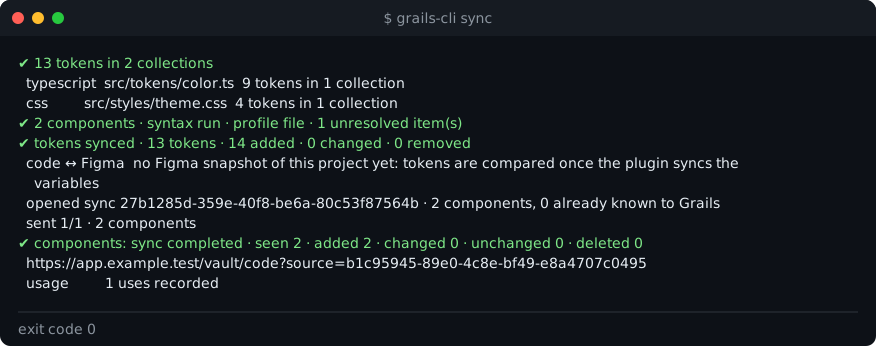
The comparison is a report. It is not a step of the sync: if it fails, the failure is written in the report and the exit code does not change.
What the comparison says
Each token is paired by name, and each pair gets one verdict:
| Verdict | Meaning |
|---|---|
| same | The code token and the Figma token have the same value. |
| differs | Paired by name, but the values differ beyond the threshold. |
| conflict | Code tokens disagree about one Figma token. Grails never resolves it for you, so it lists the case. |
| unaligned | Paired by name, but the two sides have no mode in common, so the values cannot be compared. |
Tokens that pair by no name are counted in three more groups:
| Group | Meaning |
|---|---|
| by value only | A code token has the same value as a Figma token it is not named after. |
| only in code | A code token that no Figma token matches. |
| only in Figma | A Figma token that no code token matches. |
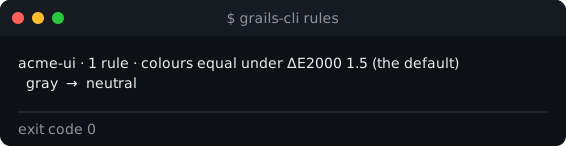
Colours are compared by ΔE2000, a perceptual distance between colours. Two colours closer than the threshold count as equal. The default is 1.5. The threshold is set for the whole project, not for one source.
Some cases the CLI reports without comparing:
- A project with no Figma snapshot yet says so. It does not call every code token missing.
- A dry run does not ask Grails. It would compare the tokens Grails already stores, not the ones on disk.
Naming rules
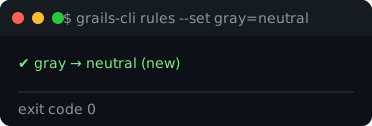
Sometimes the code and Figma use different words for the same thing: the code says gray where Figma says
neutral. A naming rule tells the comparison that the two words are the same.
- Rules belong to one source. They live in Grails, never in your repository. The CLI, the REST API and MCP edit the same rules, and the CLI writes nothing to the repository.
- The job summary of a sync lists the rules applied, and the rules Grails suggests: words with the same value
and one different word. Suggestions are never applied on their own. Add one with
rules --setif it is right.
Manage them with rules:
grails-cli rules # this source's rules and the project's colour thresholdgrails-cli rules --set gray=neutral # create a rule, or move its targetgrails-cli rules --delete gray # remove itgrails-cli rules --threshold 2 # the ΔE2000 under which two colours are equal, for the whole projectThe source is named the same way sync names it: --name, else the package name, else the folder name.
| Command | What the key needs |
|---|---|
rules (list) | The usual key, with write:code. |
rules --set, --delete, --threshold | A key with the write:tokens scope, in addition. |
Where to read the result
- In the terminal, after
sync: one line with the counts and the threshold. - In CI: the table, what differs, the conflicts and the suggested rules, in the job summary. See CI and exit codes.