

Components
The Components section is your comprehensive library of all design system components synced from Figma. It lets you explore component sets, inspect individual variants, view property definitions, understand which tokens are bound to each component, and monitor structural health over time.
Layout
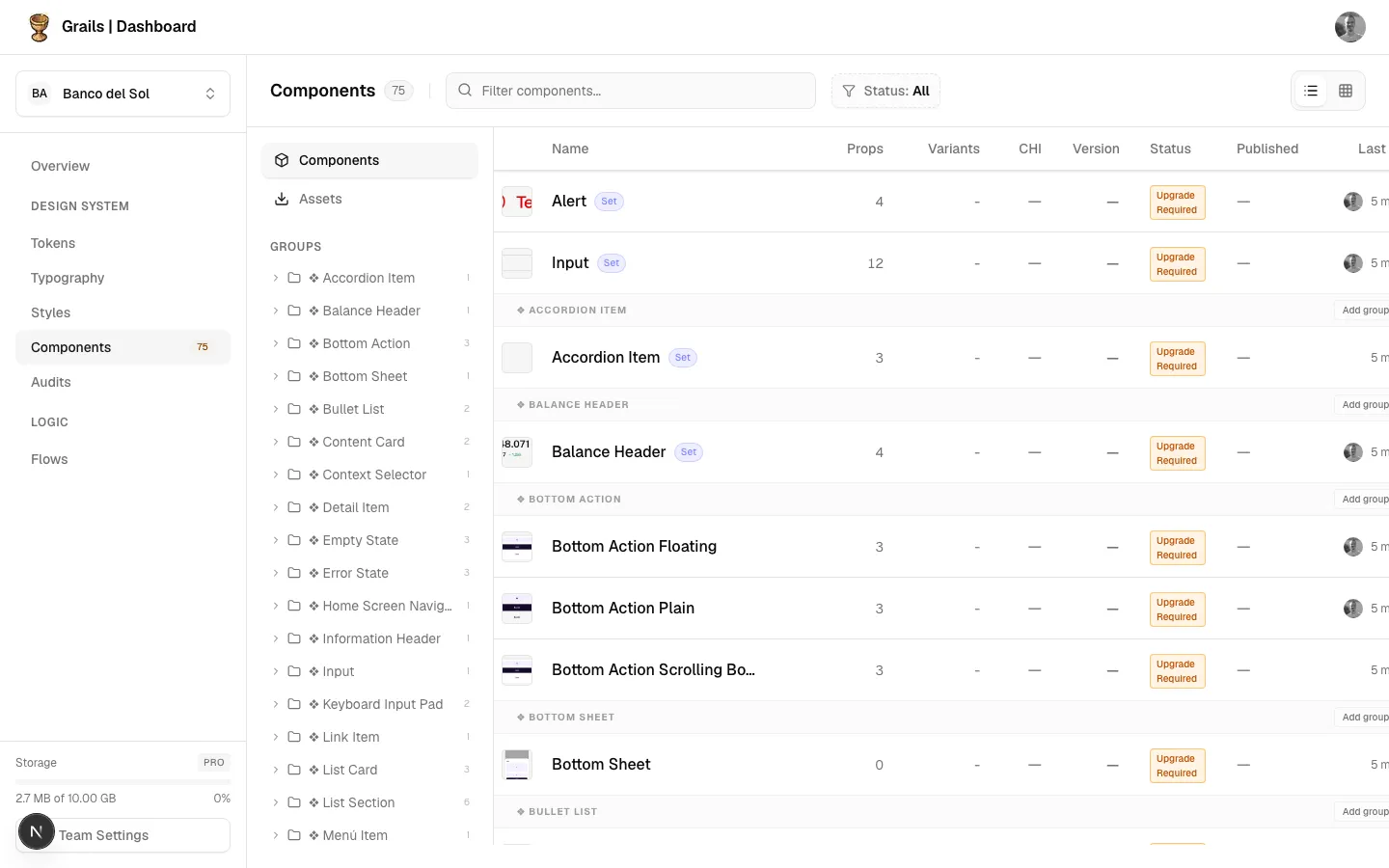
The layout is divided into a navigation sidebar on the left and a main content area on the right. A top toolbar gives you fast access to search and view modes.
- Search Bar — Filter components by name in real time.
- View Toggles — Switch between a List (table) view and a Grid (card) view.
- Component Count — Displays the total number of synced components in the current project.
Browsing Components
Components can be browsed in two distinct modes:
List View
A structured table ideal for scanning large libraries quickly.
- Components are grouped by their Figma file path.
- Each row shows the variant count and current sync status.
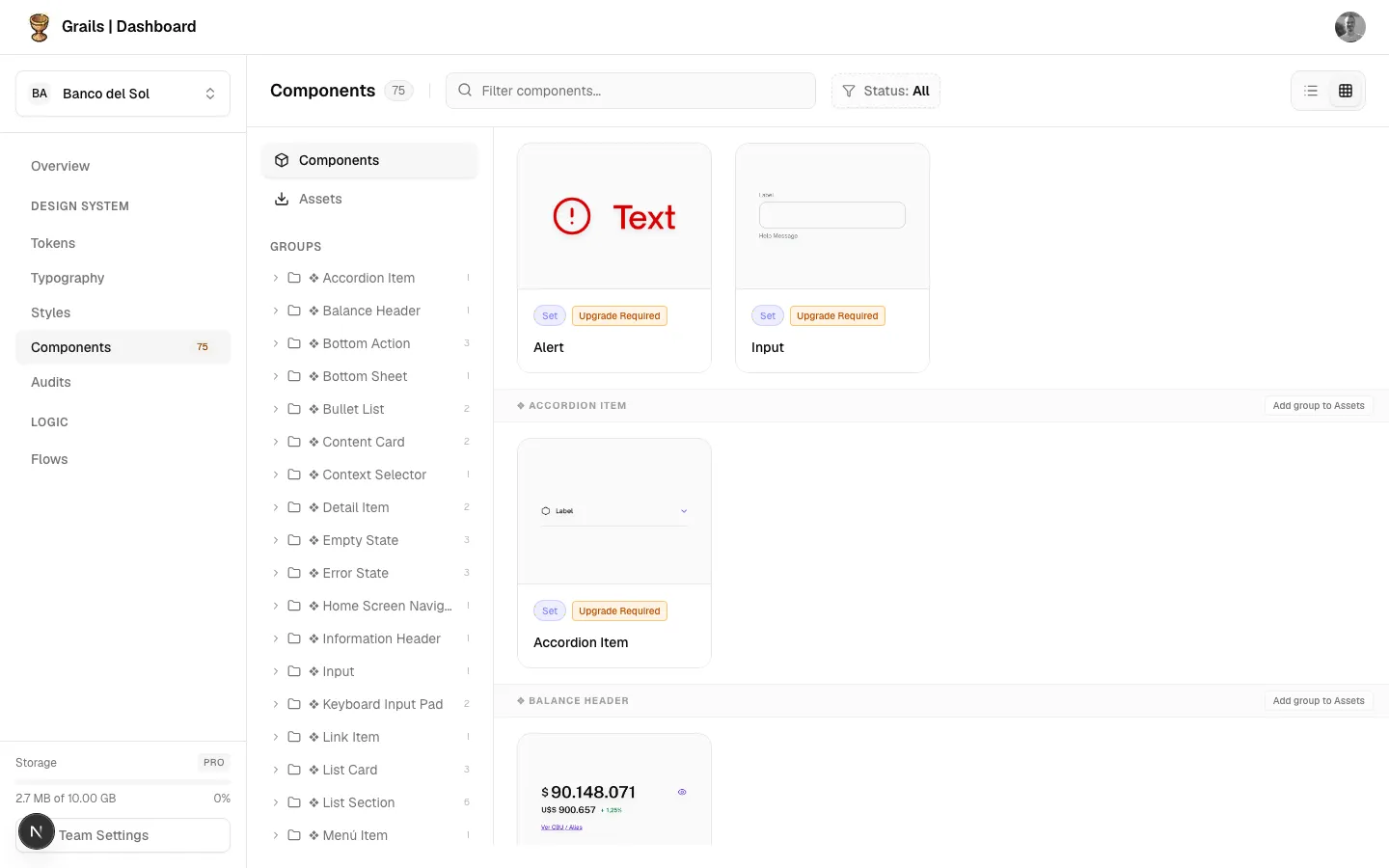
Grid View
A visual card layout ideal for spotting components by thumbnail.
- Displays realistic rendered thumbnails pulled directly from Figma.
- Status badges and variant counts are visible at a glance.
What’s Inside Each Component
Every component in Grails exposes four key areas of information, each with its own dedicated page in this section:
| Section | What you’ll find |
|---|---|
| Component Details Panel | Properties, sub-components, related tokens |
| Documentation | Rich-text usage guidelines authored in Figma or Grails |
| Component Health Index | Structural quality score with sub-metric breakdown |
Available Actions
| Action | Roles | Description |
|---|---|---|
| Switch View Modes | Admin, Editor, Viewer | Toggle between List and Grid using the toolbar icons. |
| Search Components | Admin, Editor, Viewer | Filter the list or grid by component name. |
| Inspect Details | Admin, Editor, Viewer | Click a component to open the details panel. |
| View Documentation | Admin, Editor, Viewer | Click the Book icon in the drawer to open usage guidelines. |
Permission Notes
All roles (Admin, Editor, Viewer) can browse the component library. Only Editors and Admins can push or pull updates via the Figma Plugin — but the results are always visible to Viewers here.