

Exporting tokens
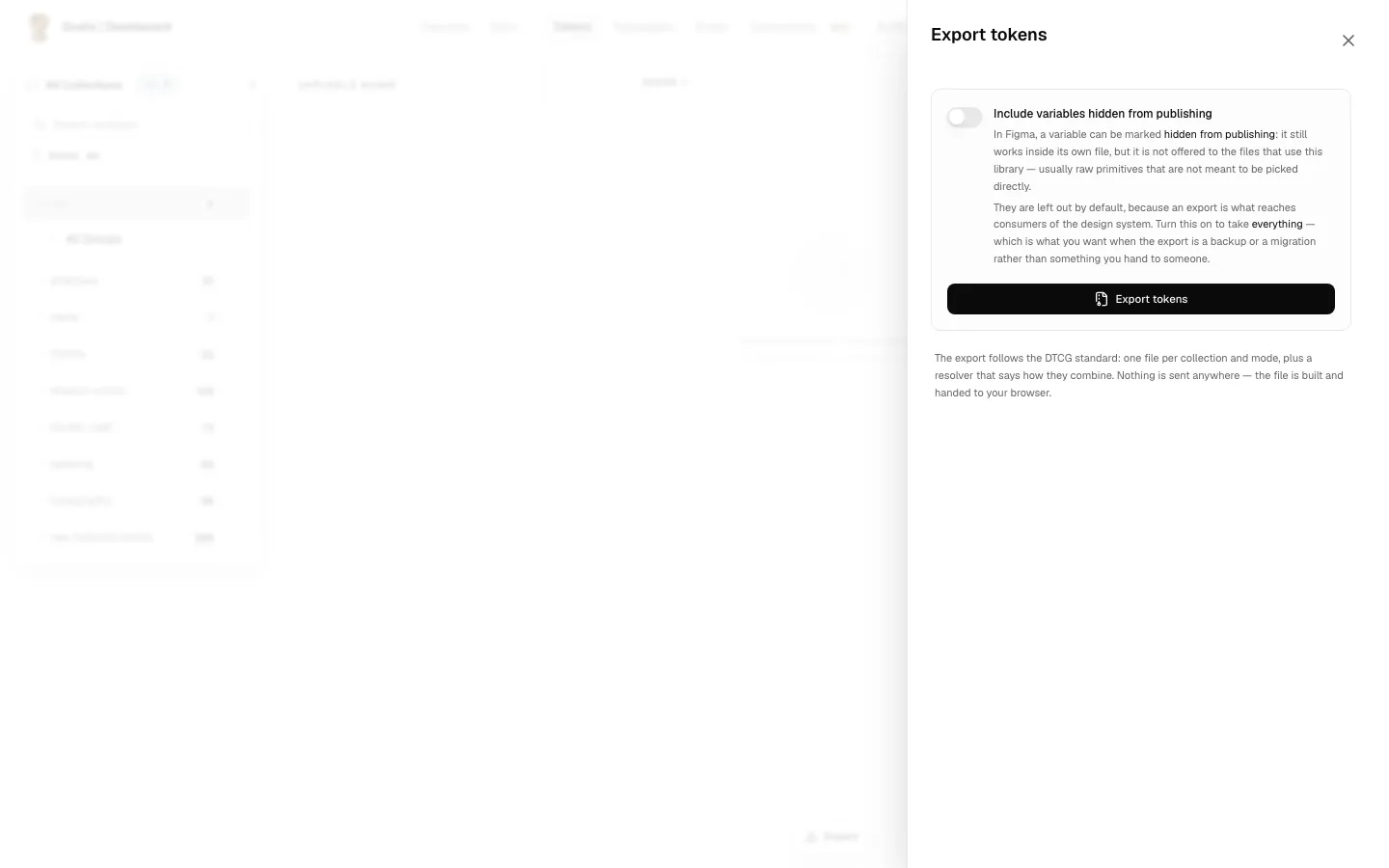
Export downloads your design tokens as a .zip, in the DTCG standard format: one file per collection and mode, plus a resolver file that describes how they combine. Tools such as Style Dictionary read it directly. Use it to take your tokens out of Grails and into code, into another tool, or into a backup.
Export is in the bar at the foot of the table, on two sides:
- Design: the variables synced from Figma. The export includes the option for variables hidden from publishing, described below.
- Code: the last upload of the repository, as Grails stored it. The same panel, without the hidden-from-publishing option.
Everyone on the team can export, Viewers included. Exporting reads your design system; it changes nothing. No plan or role gate applies.
How it works
Clicking Export opens a panel, and nothing happens until you ask for it. No file is built when the panel opens.
| Step | What happens |
|---|---|
| The panel opens | You see one option and an Export tokens button. No file yet. |
| You press Export tokens | Grails builds the file and checks what it could not express exactly. |
| It finishes | The results appear, and a Download button becomes available at the bottom of the panel. |
| You change the option | The result is discarded and Download disappears. Press Export tokens again; the button now reads Export again. |
The last row is the one to remember: the file you download always matches the option you can see. You never end up with a file built under a setting you have since changed.
The option: variables hidden from publishing
In Figma, a variable can be marked hidden from publishing. It keeps working inside its own file, but it is not offered to the files that use the library. Typically these are raw primitives that nobody should pick directly.
Those variables are left out by default, because an export is what reaches the people who consume your design system. Turn the option on to include everything. That is what you want when the export is a backup or a migration, rather than something you hand to someone.
What the panel tells you before you download
The standard cannot always express exactly what Figma holds, and an export that quietly left something out looks exactly like a complete one. So the results come before the download, not after: once you have the file, nobody reads the notes.
Each line says what happened to the data:
| Label | Meaning |
|---|---|
| Not in the export | Those tokens are not in the file, and exporting again will not change that. The cause is a name collision, or a collection with no modes, which produces no file at all. The fix is in Figma. |
| Exported with a guess | The token is in the file, and part of it was inferred, usually a unit. A plain number in Figma carries no unit, so Grails assumes pixels when that is the sensible reading. |
| Worth knowing | The token is in the file and it is correct. The line exists so nothing surprises you later. |
If nothing is listed, the panel says so: every token was exported with the type and unit it declares, and nothing was left out. That is a result, not an empty screen.
The file is valid and usable in every case above. These notes are about completeness, not about a broken export.
Exporting the Code side
On the Code side, the file is the repository’s last upload, as Grails stored it. Nothing is re-read from the repository when you export. To export a newer version, the repository must upload again with grails-cli sync. See The Code side.