
Overview
Introduction
The Overview section serves as your team’s central activity hub in the Vault. It provides a real-time chronological feed of all design system updates, component syncs, and team member changes, helping you stay informed about the latest actions within your project.
Overview
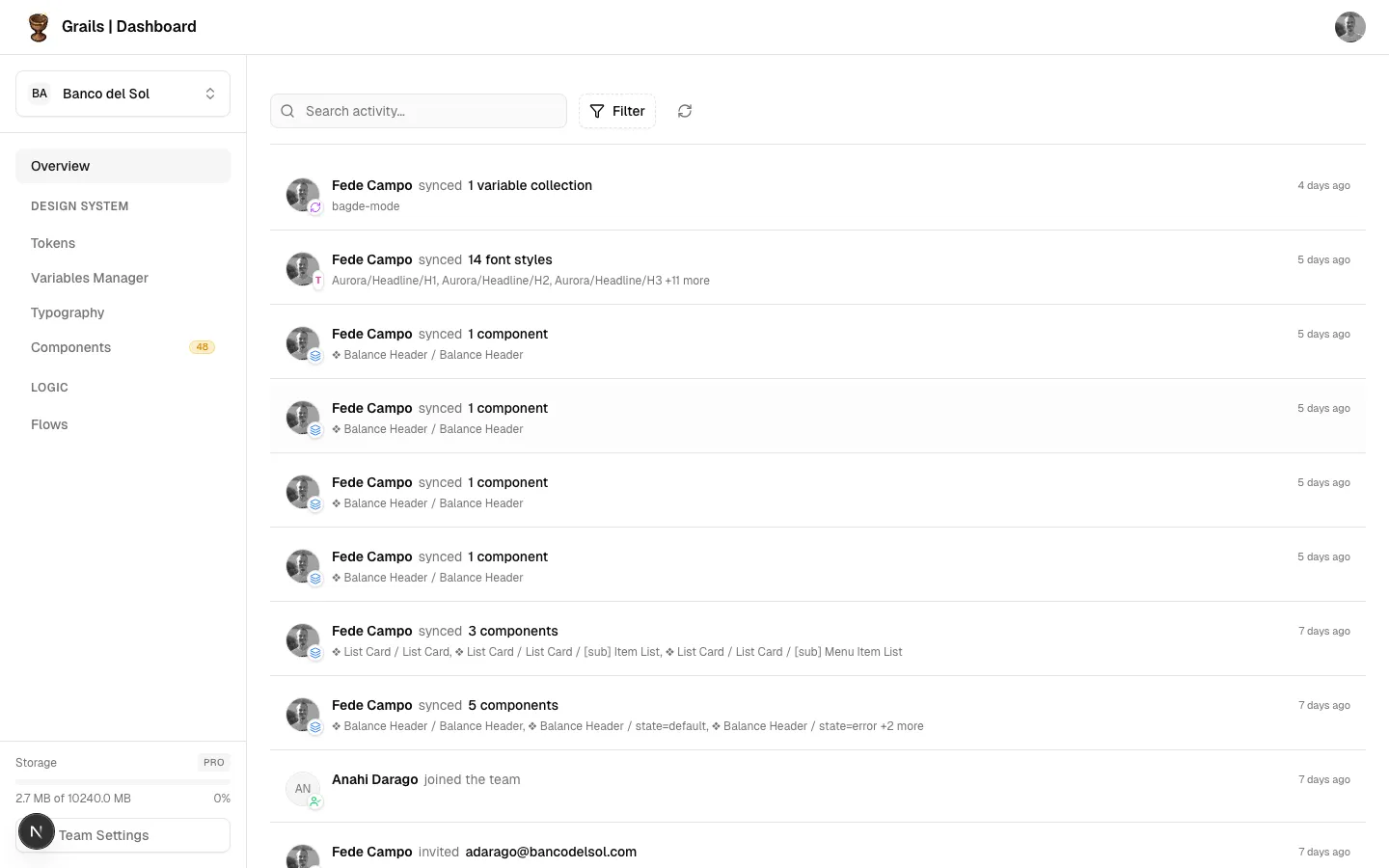
The layout consists of a main activity feed with a top toolbar for filtering and searching.
- Search Bar: Allows you to search for specific activities by user name or action details.
- Filter Menu: Lets you filter the feed by specific activity types (e.g., Variable Syncs, Component Syncs, Invites).
- Refresh Button: Manually fetches the latest activities.
- Activity List: Displays grouped activities sorted by time.
Activity Feed
The main content area displays a scrollable list of recent events. Each entry represents an action taken by a team member or the system itself.
Information shown
- Actor: The name and avatar of the team member who performed the action.
- Action Description: A clear text describing what happened (e.g., “Synced 5 components from Figma”).
- Timestamp: When the action occurred (e.g., “2 hours ago”).
- Details: Specific information about the action, such as variable names or component changes.
Activities that occur at the exact same time by the same user are grouped together to keep the feed clean and readable.
Available Actions
| Action | Roles | Description |
|---|---|---|
| Search Activity | Admin, Editor, Viewer | Filter the feed textually by names or details. |
| Filter by Type | Admin, Editor, Viewer | Isolate specific types of events like component syncs or team joins using the Filter dropdown. |
| Load More | Admin, Editor, Viewer | Scroll down and click “Load older activity” to view historical events. |
Permission Notes
All roles (Admin, Editor, Viewer) have access to view the Overview section and the team’s activity feed. The feed only shows actions relevant to the current team’s project.